



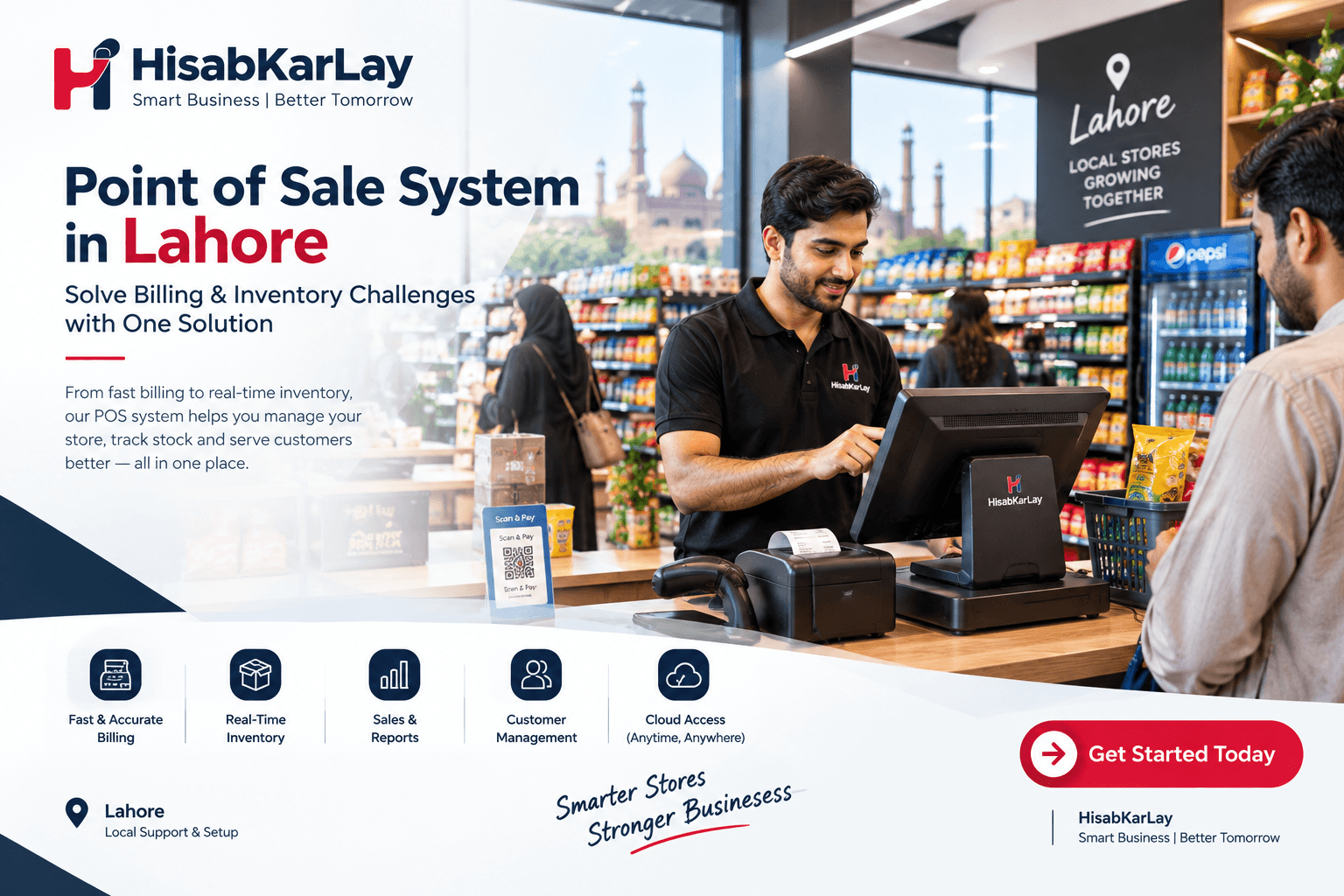

Point of Sale System in Lahore | Solve Billing & Inventory Challenges with One Solution
If you run a shop, restaurant, pharmacy, or supermarket anywhere in Pakistan, you've probably asked yourself this question at least once: is it finally time to ditch the register and the notebook for something smarter? You're not alone. Business owners from Lahore to Karachi to Islamabad are rethinking how they handle sales, and a lot of that rethinking starts with one search term POS software in Pakistan. This guide walks through what point of sale software actually does, what it should cost, which features genuinely matter for different industries, and how a platform like HisabKarLay fits into that picture. No fluff, no invented numbers, just a practical look at what you need to know before you commit to a system.
What Is POS Software and Why It Matters in 2026
A point of sale (POS) system Pakistan is the digital replacement for your traditional cash counter. Instead of writing bills by hand or punching numbers into a basic calculator, you're using software that records every transaction, updates your stock automatically, and gives you a clear picture of what's actually happening in your business. Think of it as the difference between driving with your eyes closed and driving with a full dashboard in front of you — you can still get from A to B either way, but only one of those methods lets you see the potholes coming. Modern POS platforms have grown far beyond billing alone; they now combine sales processing, inventory management, customer records, supplier tracking, employee oversight, and reporting into one connected system.
Why does this matter more in 2026 than it did five years ago? Because competition has intensified across nearly every retail and food-service category in Pakistan, and margins have gotten tighter. A shopkeeper who's still manually tallying receipts at the end of the day is working with yesterday's information while their competitor down the street is checking real-time profit margins on a tablet. That gap compounds over time. Customers also expect faster checkouts and fewer billing mistakes, and staff turnover means you need a system simple enough that a new cashier can learn it in an afternoon, not a week. POS software isn't a luxury add-on anymore for most retail, restaurant, and service businesses, it's becoming the baseline expectation for running things properly.
Why Pakistani Businesses Are Moving Away From Manual Billing
There's a certain nostalgia attached to the old bill book and cash drawer, but nostalgia doesn't pay the bills — accuracy does. Business owners across Pakistan are shifting toward billing software because the manual approach quietly bleeds money in ways that are hard to see until you add it all up. A miscounted total here, a forgotten khata entry there, a stock item nobody remembers reordering — none of these feel catastrophic in the moment, but over a month they can eat into profit more than most owners realize. Digital systems close these gaps by doing the arithmetic, the stock deduction, and the record-keeping automatically, every single time, without getting tired at the end of a 12-hour shift.
There's also the growing pressure around digital invoicing and tax compliance in Pakistan, which has pushed many retailers to look for systems that can keep their records organized and audit-ready rather than scattered across notebooks and loose receipts. Add to that the rise of multi-branch operations — a shop owner in Lahore opening a second location in Gujranwala, for instance and manual tracking simply stops scaling. You can't run two or three locations off separate notebooks and expect a coherent picture of your business. Cloud-based POS software solves this by centralizing everything, so whether you're checking sales from your office or from your phone while traveling, you're looking at the same real-time numbers your staff is working from at the counter.
Common Problems With Manual Billing and Cash Registers
Ask any retailer who's made the switch, and they'll usually mention the same handful of pain points that pushed them toward software in the first place. Long queues during rush hours frustrate customers and cost you repeat business, since nobody enjoys waiting while a cashier recalculates a total by hand. Stock discrepancies are another recurring headache — you think you have twenty units of something, but a miscount three weeks ago means you actually have twelve, and you find out only when a customer asks for an item you don't have. Employee accountability gets murky too, because without a system logging who processed which sale, it's difficult to identify where errors or shortages are coming from. None of these problems are dramatic on their own, but stacked together, they represent real, ongoing friction that POS software is specifically built to remove.
Key Features to Look For in POS Software
Not all POS systems are created equal, and the temptation to just pick whichever one shows up first in a Google search can lead to real regret six months later. Before you commit, it helps to know exactly which features actually move the needle for a business like yours versus which ones are just marketing fluff. Below is a breakdown of the core capabilities worth evaluating, because a POS system is only as good as the specific problems it solves for your day-to-day operations.
Billing and Barcode Scanning
At its core, your POS needs to make checkout fast and accurate, whether that's through barcode billing with a scanner or quick manual search by item name. Speed at the counter directly affects customer satisfaction — nobody wants to stand in line while a cashier hunts for a price. A good system lets staff scan or search in seconds, apply discounts cleanly, and print or share a receipt without extra steps. This sounds basic, but it's the feature you'll interact with hundreds of times a day, so even small inefficiencies here add up fast across a busy shift.
Inventory and Stock Management
Your POS should function as your inventory brain, not just a cash register. Every sale should automatically deduct from stock, and the system should flag low-stock items before you run out entirely, rather than after a customer walks away disappointed. For businesses juggling hundreds or thousands of SKUs, this kind of automated stock management removes the guesswork that manual counting simply can't keep up with. It also means you stop overordering items that are sitting on the shelf while underordering the ones that are actually moving.
Customer and Supplier Management
Good POS software keeps a running record of who's buying from you and who you're buying from. On the customer side, that might mean tracking purchase history, loyalty points, or outstanding credit — the digital version of the khata system many Pakistani shopkeepers already run informally. On the supplier side, it means knowing your purchase orders, payment history, and restocking patterns without digging through old invoices. Having both sides connected to your sales data gives you a far more complete view of your business relationships than scattered paper records ever could.
Multi-Branch and Multi-Device Support
If you operate more than one location, or you plan to eventually, this feature stops being optional. Multi-branch management means you can see stock levels and sales performance across every outlet from a single dashboard, transfer inventory between branches when one location is running low, and generate consolidated reports that show you the full picture rather than fragments. Even single-location businesses benefit from multi-device access, since being able to check your numbers from a phone while you're away from the counter gives you a level of control that a fixed cash register never could.
Offline Billing Capability
Internet outages and load-shedding are a genuine reality for businesses across Pakistan, and a POS system that stops working the moment your connection drops isn't much of a solution. Offline billing software keeps your counter running during an outage, storing transactions locally and syncing them back to the cloud automatically once the connection returns. This one feature alone can be the difference between a smooth business day and a frustrating one, especially for shops in areas where connectivity isn't always reliable.
Reporting and Analytics
Numbers only help you if you can actually see them clearly, and this is where reporting comes in. A solid POS gives you sales reports, stock reports, and profit-and-loss summaries that turn raw transaction data into decisions you can act on. Instead of wondering which products are your best sellers or which days bring the most revenue, you can pull up a report and know immediately. Over time, this kind of visibility is what separates businesses that grow with intention from ones that are simply reacting week to week.
POS System Price in Pakistan: What Affects the Cost
One of the most common questions business owners search for is straightforward: how much does POS software cost in Pakistan? The honest answer is that it depends on several factors, and there's no single number that applies to every business. Pricing typically varies based on the number of users or branches you need covered, whether you want cloud-based access or a locally installed system, which industry-specific features you require (a restaurant with KOT printing and table management has different needs than a single-counter retail shop), and whether you're paying monthly or opting for a one-time setup. Rather than chasing the cheapest option on the market, it's worth thinking about total value — a system that saves you hours of manual reconciliation every week is worth more than its sticker price suggests.
| Cost Factor | Why It Affects Price |
|---|---|
| Number of branches/outlets | Multi-branch sync and centralized reporting require more infrastructure |
| Number of users/devices | Additional staff logins and device access typically scale with plan tier |
| Industry-specific modules | Restaurant KOT, pharmacy batch tracking, or salon booking add functional complexity |
| Cloud vs. offline deployment | Cloud plans often bill monthly; local installs may involve upfront licensing |
| Hardware requirements | Barcode scanners, receipt printers, and cash drawers are typically separate costs |
| Support and training | Onboarding, staff training, and ongoing support can factor into overall value |
Before signing up with any provider, it's worth asking direct questions: what exactly is included in the base plan, what triggers an upgrade to a higher tier, and whether offline functionality and reporting are part of the standard package or an add-on. A transparent vendor should be able to answer these clearly without vague pricing pages that leave you guessing. If a deal sounds unusually cheap for the feature set being promised, that's usually worth a second look rather than an immediate signup.
Industry-Specific POS Needs
Here's something worth internalizing early: there is no such thing as a truly one-size-fits-all POS system, because a supermarket and a salon simply don't operate the same way. The right question isn't "which POS is the best overall," it's "which POS actually fits how my specific business runs." Let's break down what different industries in Pakistan genuinely need from their point-of-sale setup.
Retail and Supermarket POS
Retail and supermarket billing environments live and die by checkout speed and inventory accuracy. With potentially thousands of SKUs on the shelf, a retail POS needs fast barcode scanning, real-time stock updates, and the ability to apply promotions or bulk discounts without slowing down the line. Supermarkets in particular deal with high transaction volume during peak hours, so the system needs to hold up under pressure rather than lagging when five checkout lanes are running simultaneously. Multi-branch retailers also need centralized visibility so head office can see performance across every store without physically visiting each one.
Restaurant and Café POS
Restaurants operate on a completely different rhythm — orders move from the floor to the kitchen and back, tables need to be tracked, and bills often get split multiple ways. A proper restaurant POS software setup typically includes order management, table tracking, KOT (kitchen order ticket) printing so the kitchen knows exactly what to prepare, and waiter-facing tools that speed up order-taking during busy service. Inventory matters here too, but it's less about shelf stock and more about ingredient usage, so the reporting side needs to reflect that. A café slammed during a weekend rush needs every order moving from table to kitchen without confusion, and that's exactly the workflow this kind of system is built to support.
Pharmacy POS
Pharmacies carry a unique burden compared to general retail: they're handling medicine, which means expiry dates and batch tracking aren't optional extras, they're operational necessities. A pharmacy POS software needs to flag items approaching their expiry date, organize stock by batch, and help staff avoid the serious problem of selling expired medicine. Beyond that, pharmacies also need accurate supplier records and fast billing, since customers walking in for medication typically expect quick, low-friction service. It's worth being clear here that software can support better tracking and fewer errors, but it doesn't replace proper pharmacy licensing, regulatory compliance, or professional judgment — those responsibilities still sit with the pharmacy itself.
Salons, Spas and Service Businesses
Service-based businesses like salons and spas have a different rhythm again — appointments matter as much as transactions. These businesses benefit from POS features that handle booking schedules, staff assignments, and service-based billing alongside product sales (since many salons also sell retail items like haircare products). Client history matters a lot here too, since knowing a returning customer's preferences or past services builds the kind of experience that keeps people coming back. A front desk that's juggling walk-ins, scheduled appointments, and checkout all at once needs software that keeps those threads organized rather than adding to the chaos.
How HisabKarLay's POS System Fits These Needs
HisabKarLay approaches POS software as a wholesale and retail management tool built around the day-to-day realities described above rather than a generic template. The platform is designed to let business owners manage customers, products, orders, and staff roles such as booker and admin, each with their own specific permissions, which matters if you want tighter control over who can do what inside the system. One practical detail worth highlighting is that the system works both online and offline, with offline sales syncing automatically back to the web POS within an hour — a genuinely useful feature for businesses dealing with inconsistent internet access, a common reality in parts of Pakistan.
On the reporting side, HisabKarLay's POS includes sales, stock, and profit-and-loss reports, giving owners a way to actually see how the business is performing rather than guessing. The platform extends beyond general retail into dedicated setups for specific industries, including a restaurant management system with a waiter app for order-taking and kitchen coordination, meaning restaurant owners aren't forced to bend a generic retail tool into something it wasn't built for. Beyond POS and restaurant management, HisabKarLay also offers a CRM system for lead and customer management, an e-commerce platform, and a school management system, which reflects a broader push toward business management tools rather than billing alone. If you're exploring what a connected setup could look like for your specific business, it's worth taking a closer look at the POS system page directly.
POS vs ERP vs CRM: Understanding the Difference
A question that comes up constantly among growing businesses is what actually separates a POS system from an ERP or a CRM, since the terms get thrown around fairly loosely in casual conversation. The short answer is that they solve different layers of the same overall problem, and understanding where each one starts and stops helps you avoid buying more (or less) than you actually need.
| System | Primary Focus | Best Suited For |
|---|---|---|
| POS | Sales transactions, billing, real-time inventory at the point of sale | Retail shops, restaurants, pharmacies, supermarkets |
| CRM | Managing leads, customer relationships, follow-ups, and sales pipelines | Sales-driven businesses tracking customer engagement over time |
| ERP | Broader resource planning across finance, HR, procurement, and operations | Larger organizations coordinating multiple departments and processes |
A POS system is where the transaction actually happens — it's the counter, the checkout, the moment money changes hands. A CRM lives further upstream, tracking leads, follow-ups, and customer relationships over the longer arc of a sales cycle rather than a single transaction. ERP is the broadest of the three, typically coordinating finance, procurement, HR, and operations across an entire organization, which is why it tends to suit larger, more complex businesses rather than a single retail counter. Many growing businesses end up using more than one of these together, since a shop might run POS for daily sales while layering in a CRM to manage recurring customers and follow-up communication — the two aren't competitors, they're complementary pieces of the same operational puzzle.
How to Choose the Right POS Software: A Buying Checklist
Choosing a POS system shouldn't feel like a guessing game, and it doesn't have to be if you approach it methodically. Start by mapping your actual daily workflow — how do sales happen, how is inventory currently tracked, and where do things break down most often? From there, prioritize the features that solve your specific pain points rather than chasing every bell and whistle a vendor advertises, since a feature you'll never use isn't adding value, it's adding clutter. Ask vendors directly about offline capability, since this single feature can make or break your experience during an internet outage, and don't be shy about requesting a demo before committing, because a system that looks good on a sales page can feel very different once your staff is actually using it under real pressure.
Consider scalability too — even if you're running a single counter today, will the system grow with you if you open a second branch next year? Look closely at what reporting is actually included versus what's locked behind a higher-tier plan, and clarify support availability, since a billing glitch during your busiest hour is not the moment you want to discover that customer support is slow to respond. Finally, weigh cost against the time and errors it will realistically save you, because the cheapest option isn't always the most cost-effective one once you factor in the hours lost to manual reconciliation, stock mismatches, and billing mistakes that a properly chosen system eliminates from day one.
Conclusion
Choosing POS software in Pakistan isn't about finding the flashiest system, it's about finding the one that actually fits how your business runs, day in and day out. Whether you're managing a retail counter, a busy restaurant kitchen, a pharmacy counter that can't afford expiry mistakes, or a growing multi-branch operation, the right POS system should reduce friction rather than add to it. Platforms like HisabKarLay are built around exactly these kinds of real business workflows, combining billing, inventory, offline reliability, and industry-specific tools like restaurant order management into one connected system. Before you commit to any provider, run through the checklist above, ask direct questions about pricing and offline support, and request a demo so you can see the system in action rather than just reading about it.